Top Digital Marketing Tools For Achieving Great Results in 2024
Add these Top Digital Marketing Tools to your Marketing Tech Stack and become more effective at Writing, SEO, Social Media, Email Marketing, and more!

Every time I introduce a new marketing tool, people get a smile on their face
The reaction I get from people when I introduce new digital marketing tools is priceless. They just can’t believe how much time and effort they can save by using the right and often free marketing tools and how much more effective they can be.
The most common reason for not using the right marketing tools is unawareness and abundance.
Look:
It takes a lot of time to find the best digital marketing tools and even more time to set up an account and really understand how this tool will help you improve your digital marketing efforts.
In this post, I will try to list only the Top Digital Marketing Tools and go over how they can help you grow your business.
Let’s do this!
Top Content Creation Tools
Back in the days, we had a pen and paper to create content. Now, we have Content Creation Platforms that help us in many ways!
These tools help us create beautiful content, intelligent content, help us improve our writing, and much more.
StoryLab.ai
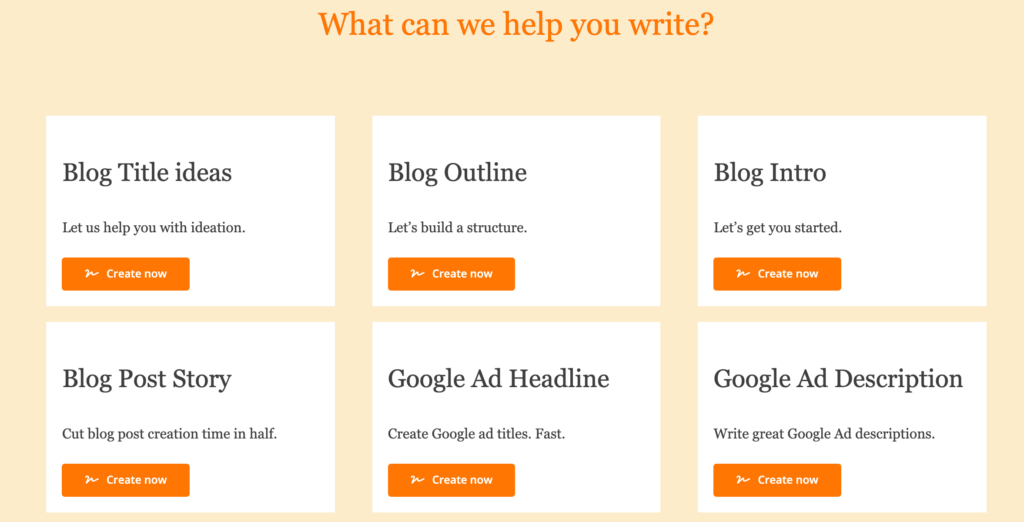
Are you looking to scale up your content creation but stuck because you’re not sure what content to create or what to write about? StoryLab.ai has you covered. Simply enter e couple of key words and get blog post titles, Google Description suggestions, Facebook ad suggestions and much more.
StoryLab.ai’s generator gives you highly relevant suggestions based on your input and comes with a free trial.
Foleon
Are you looking for a Content Creation Tool to create better engaging, intelligent ‘behind the gate’ content at scale?
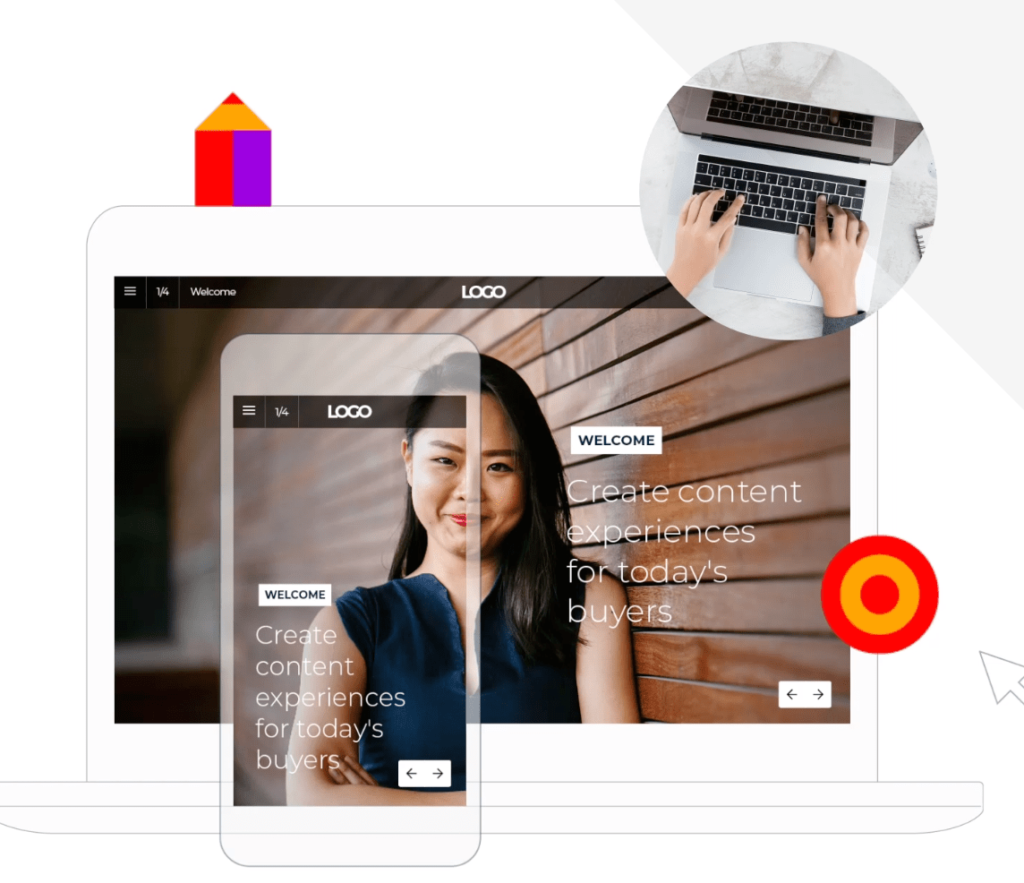
Here’s how Foleon can help you become more effective. Foleon is more than just a great PDF Alternative.
Create better engaging content
When was the last time you saw a really engaging e-book? Yes, you can select your font and add colors and images, but that’s just about it. With Foleon Docs you can create real experiences by adding animations, videos, overlays, and much more.
Bonus. It’s always responsive on all screen sizes.
Gater more insights on how people engage with your ‘behind the gate’ content
Up until now, the e-books that we created were published in PDF format. The main downsides were that we had no idea what happened after people downloaded an asset (this is possible with Foleon). By creating your content in a Foleon Doc instead of a PDF, you can gather a lot more insights like page views, page engagement and more.
Create ‘behind the gate’ content at scale
Want to create 10 white papers? No more waiting for designers to help out. Creating on-brand white papers is easy with Foleon’s Drag and Drop editor.
Check out Foleon’s Content Creation Tool
Canva
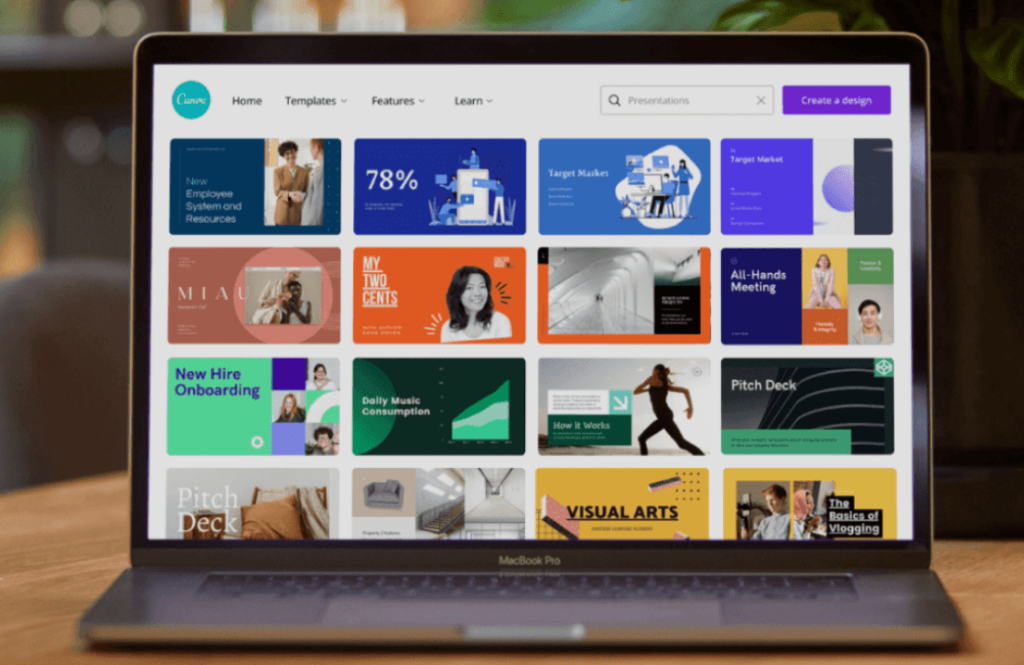
No more waiting for designers to finish creating your Infographic, Social Media banner, Blog Post image, or anything else you need. You can create it yourself with Canva.
Canva has spent years designing beautiful-looking templates for just about any marketing collateral you need. No more blanc pieces of paper. Start with one of their templates and make it your own.
Other Visual Graphics Tools
I used to use Open Source tools like Gimp and IncScape. I still do sometimes, but just like Photoshop and InDesign, these tools take time to master.
Canva is the most popular Visual Graphics Tool, but there are also alternatives like Snappa, Desygner and Design Wizard, and Picsart.
Grammarly
When writing content, you don’t want to constantly be stopping and searching for the right spelling of words or the correct grammar. Grammarly can help you write with fewer mistakes.
The tool is very handy because it integrates with other tools that you’re already using like, WhatsApp, WordPress, Slack, and more.
For brand people. Their paid version has a build-in Tone of Voicer helper so all team members can stay on brand when writing content.

Search Engine Optimization (SEO) Tools
Analyze your SEO efforts, improve your rankings and get more traffic
Respona
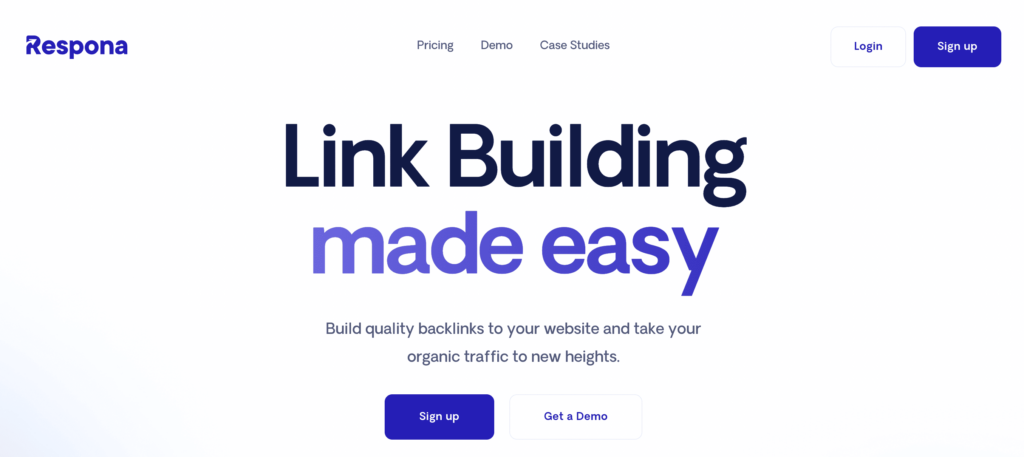
Respona is an all-in-one blogger outreach platform outfitted with all of the necessary tools to set up and launch an email campaign of any kind, be it for link building, digital PR, marketing, or even sales.
It’s integrated with Google’s search engine for streamlined prospecting, and pulls metrics like Domain Rating and Ahrefs Rank directly from Ahrefs.
An easy-to-use email finder is also included, making it extremely easy to find the right person’s contact information without having to rely on any other tools.
Respona’s intuitive interface guides you through every step of creating and launching your outreach campaigns, keeps track of your performance, and also the status of your conversations with each prospect.
The tool will be especially useful to link builders, as it was initially used to help Visme scale their link building outreach efforts, helping the website gain over 2 million organic visitors a month.
- Automated email outreach
- Great for prospecting and finding contact information
- Deep personalization
- Built-in analytics and reporting
Screaming Frog SEO Spider
Screaming Frog SEO Spider Tool and Crawler (free)
Install this free SEO tool and run powerful seo analysis of any website. You can check your own website, your competitor’s website or other great websites you want to learn from. Click on the link to see a video of how it works and download it for free.
Here’s how it looks when I enter QuickSprout.com in the Screaming Frog Seo Spider tool:
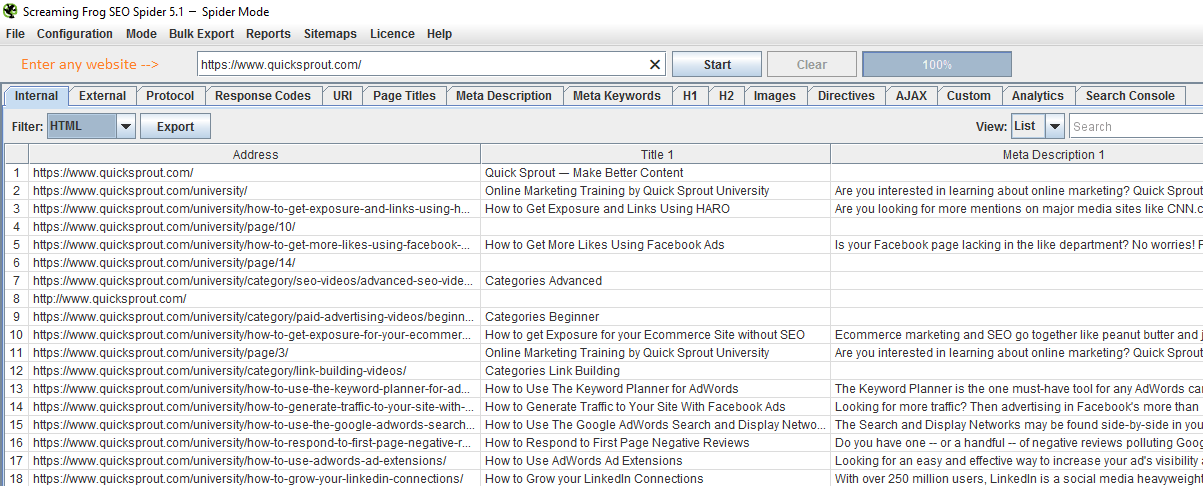
You can enter any website url, run many different analyses and export data. Have fun playing around!
Link Explorer and Moz Bar by Moz
The Link Explorer by Moz was previously known as Open Site Explorer. This SEO Tool has been on the market for quite some years and I’ve been using it every time I wanted to get insights on a domain or page authority of a website or webpage.
Type in any website’s url and get insights. Just try it for yourself.
Very handy to see where your competitors are getting links from.
Moz Bar (SEO Toolbar) for Goole Chrome and Mozilla Firefox (free)
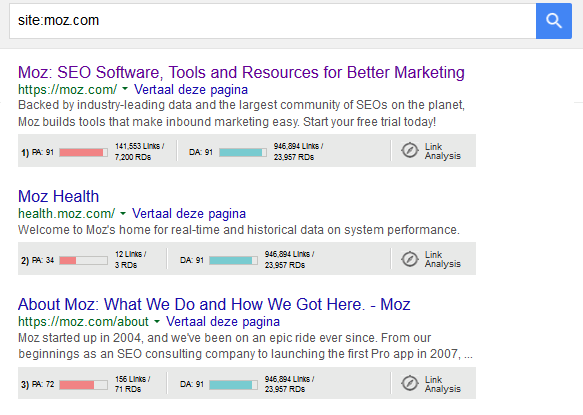
There are many things you can do with this SEO Toolbar. Click on the link to see a tutorial. I also use it to see which of my pages have a high authority on the web. After installing the extension you can enter the following in Google’s search bar: site:[your site’s url] to get an overview of only your pages. With the extension activated you can see how much authority each page has.
Here’s how it looks for Moz:
Google Search Console and Bing Webmaster Tools
Google Search Console (previously known as Webmaster Tools) and Bing Webmaster Tools (free)
These tools are a must! After implementing or updating your sitemap.xml you need to upload it in your Google Search Console and Bing Webmaster Tools. These tools give you a lot more insights. You can for instance see if there are broken links on the web pointing to your website or analyze which pages are doing well in search results. I strongly advise you to seek advice if you are not familiar with these tools.
Speed up your website and improve your rankings
Site speed is a ranking and usability factor. Faster websites rank better and convert more website visitors. Check out the following tools to optimize your website speed and compress images and files.
Pigdom, GTmetrics and WebPagetest.org (free)
These tools can give you insights in the speed of your website and individual pages. You can dig deeper into the analytics and gain advice in how to improve your site’s speed.
Kraken.io Image Optimizer and compressor (free)
I find Kraken.io by far the best tool to optimize images for the web with almost no quality loss. Here’s an example. On the left side, you see the compressed image and on the right side the original image. Can you spot any quality loss?
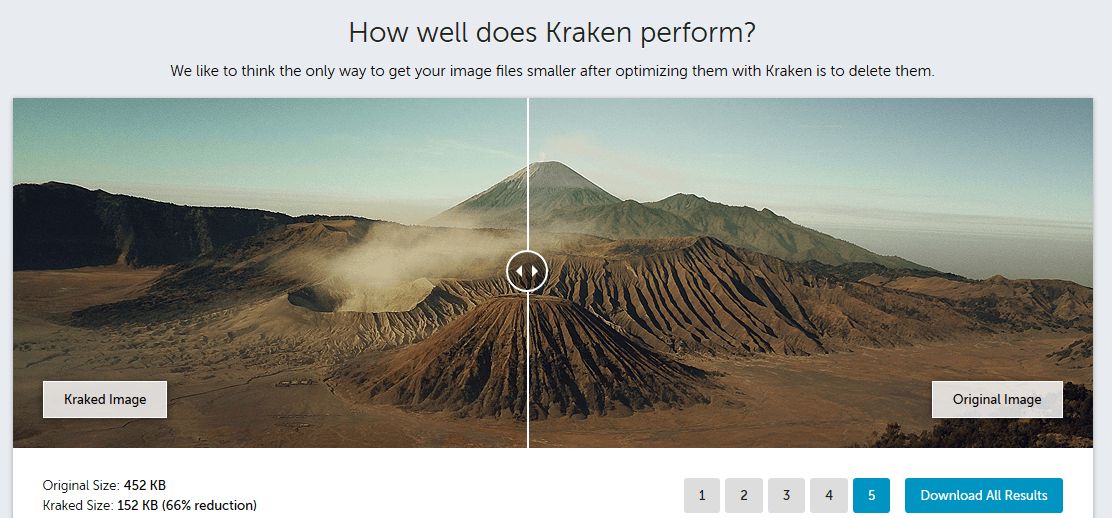
I couldn’t imagine not compressing my visuals before uploading it on my website.
Each compressed image is about 60% lighter than the original and has almost no quality loss. Using this image compression tool is free for light images and it only takes a few seconds to compress.
A nice alternative to Kraken.io is Compressor.io.
If you know a better one, please share it with us in the comments below.
Compress CSS files, JavaScript files and HTML files (free)
Minify your CSS, JavaScript and HTML files easily to speed up your website. Use these free tools or other great tools on the internet.
Social Media Tools
Using Social Media can take up a lot of your time. Here are some Social Media Tools to help you out.
Hootsuite and Buffer are great tools to schedule posts to all you Social Media accounts. The thing is, you’re probably already using one of those. I’m going to reveal to you how to use three new tools to help you get the most out of your Social Media efforts. Also, check out this article to learn how to schedule Instagram posts.
Add hand curated content to your Buffer account
Quuu is a relative new Social scheduling tool. Actually, it’s more a platform. You can sign up, connect to your Buffer account, set your preferences and real life people hand-pick and schedule posts for you every day. The free version allows you to get two hand-picked posts, per day. I’ve been using it for a while now. Check out my Twitter profile, every post with the Quuu short link, is a post by them.
Bulk schedule social media posts
Bulk.ly is a new project Chris Makara is working on. It’s still in Beta, but you can try it out. When it’s re-developed, it’s going to solve many hassles.
You can sign up, connect to your Buffer account and upload RSS feeds from your favorite blogs, you already share everything from or/and you can upload your own CSV files to bulk schedule messages. The coolest feature in my opinion is that you can upload all your posts in a CSV file and select how many times you want to recycle the posts. You could do the same in Hootsuite, but after you’ve posted your last post, you would need to reschedule everything again.
Choosing Social Media management tools that are right for you
If you need help finding the right Social Media management tools for your need, check out this post where 100+ Experts Reveal Their Favorite Social Media Management Tools. Quuu and Bulk.ly are not included because they’re relatively new.
Check your Hashtags for a better reach
Using the right Hashtags can drastically improve your reach on Twitter. Back in the days, I just guessed which hashtags I used. Now, I made a small list and update it every six months.
I suggest you do the same. Go to Hashtagafy.me and RiteTag.com and look up important key words in your industry.
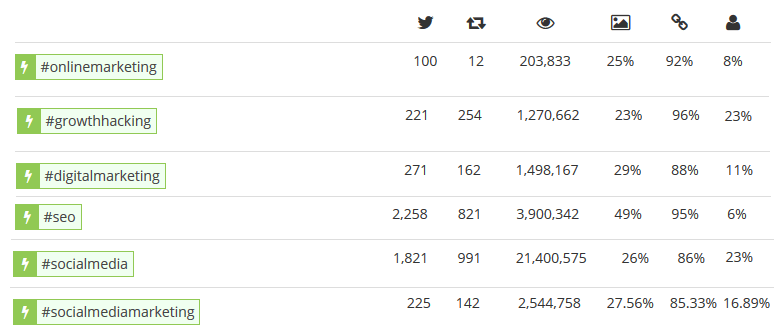
Did you know for instance that the Hashtag “Digital Marketing” performs a lot better than “Online marketing”? Check out this small overview of popular hashtags in Digital Marketing:
Affiliate Marketing Tools
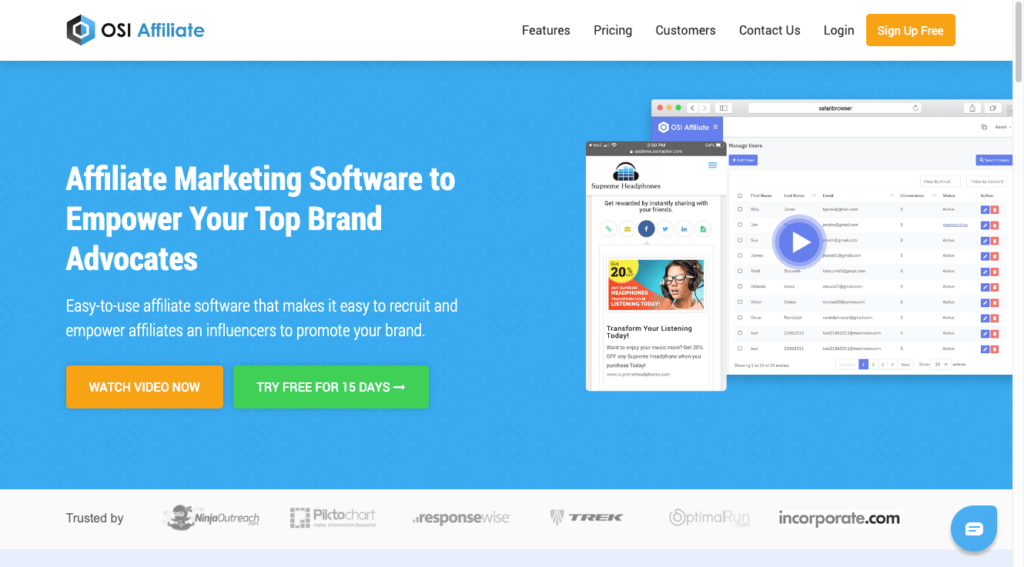
OSI Affiliate Software is a powerful tool designed for businesses looking to enhance their online marketing strategy through referral programs. It allows users to create and manage custom affiliate and referral programs with ease, encouraging customer engagement and increasing brand reach. OSI Affiliate Software integrates seamlessly with a wide range of platforms and offers features like social media sharing, reward management, and detailed tracking and reporting. This solution is ideal for businesses seeking a user-friendly yet robust system to leverage word-of-mouth and build a loyal customer base through effective affiliate marketing.
Conversational Tools
Nowadays, you see chatbots on just about any e-commerce website, but they don’t stop there. Chatbots are rapidly being implemented to help prospects and customers to find what they are looking for. Fast!
The best-known chatbot solutions are Drift and HubSpot, but if you want to take it one step further, you should opt-in for a Conversational AI solution.
Conversational AI tools are the next generation chatbots because they are Powered by AI and a human agent can jump in when the prospect or AI signal that a human agent should take over.
FAQ
What are digital marketing tools?
Digital marketing tools are software or platforms that help businesses and marketers plan, execute, and analyze their online marketing efforts.
Why are digital marketing tools important for businesses?
These tools streamline marketing tasks, provide data insights, and improve efficiency, helping businesses reach their target audiences effectively.
What types of digital marketing tools are available?
Digital marketing tools encompass a wide range, including social media management, email marketing, SEO, content creation, analytics, and advertising platforms.
Which digital marketing tools are essential for beginners in digital marketing?
Beginners should consider tools like Google Analytics for website data, Mailchimp for email marketing, and Buffer for social media management.
What are some popular tools for keyword research in digital marketing?
Keyword research tools like Google Keyword Planner, SEMrush, and Ahrefs help identify relevant keywords for SEO and content creation.
How can businesses choose the right digital marketing tools for their needs?
Choosing the right tools involves assessing specific goals, budget, and target audience, and researching and testing different options.
Are there free digital marketing tools available for businesses on a tight budget?
Yes, many free or freemium digital marketing tools offer basic features and functionality, making them accessible to budget-conscious businesses.
What are some advanced digital marketing tools for businesses looking to scale their efforts?
Advanced tools like HubSpot, Marketo, and Salesforce Marketing Cloud offer comprehensive features for larger businesses with complex marketing needs.
How can digital marketing tools help with data analytics and reporting?
These tools provide data on website traffic, user behavior, campaign performance, and ROI, allowing businesses to make data-driven decisions.
What trends should businesses be aware of in the digital marketing tools landscape?
Trends include AI-driven marketing automation, video marketing tools, chatbots for customer engagement, and enhanced data privacy and security features.
What digital marketing tools can help with social media management and scheduling posts?
Popular tools for social media management and scheduling include Hootsuite, Buffer, and Sprout Social.
How do email marketing tools assist in creating and sending email campaigns?
Email marketing tools like Mailchimp, Constant Contact, and SendinBlue offer templates, list management, and automation for effective email campaigns.
What role do SEO tools play in optimizing website content for search engines?
SEO tools such as Moz, SEMrush, and Yoast SEO provide insights into keywords, on-page optimization, and competitor analysis to improve search engine rankings.
Can digital marketing tools help with content creation and marketing?
Yes, tools like Canva, Adobe Creative Cloud, and Grammarly aid in creating and editing visual and written content for marketing purposes.
What are some analytics tools that help businesses track website performance?
Google Analytics, Adobe Analytics, and Matomo are examples of analytics tools that provide in-depth insights into website traffic and user behavior.
How can businesses use advertising platforms like Google Ads and Facebook Ads Manager?
These platforms enable businesses to create and manage online advertising campaigns to reach their target audience and drive conversions.
Are there digital marketing tools specialized for e-commerce businesses?
Yes, e-commerce-specific tools like Shopify, WooCommerce, and Magento cater to online retailers, offering features for managing products and sales.
How do marketing automation tools like HubSpot and Marketo enhance marketing efforts?
Marketing automation tools streamline lead nurturing, email marketing, and customer engagement, saving time and improving efficiency.
What are some CRM (Customer Relationship Management) tools and their role in digital marketing?
CRM tools like TigerLRM, Salesforce and HubSpot CRM help businesses manage customer relationships, track interactions, and personalize marketing efforts.
How can businesses stay updated with the latest digital marketing tools and trends?
Staying informed involves following industry blogs, attending webinars, and participating in digital marketing communities to discover new tools and trends.
How can businesses integrate multiple digital marketing tools for a seamless marketing strategy?
Businesses can use marketing automation platforms like Zapier and Integromat to connect and automate processes between various digital marketing tools.
What are some email marketing tools known for their automation capabilities?
Email marketing automation tools such as ActiveCampaign, ConvertKit, and Drip enable businesses to send targeted and automated email sequences.
Are there digital marketing tools specialized for tracking and managing social media ad campaigns?
Yes, platforms like AdEspresso (now part of Hootsuite) and SocialBee offer features for tracking and optimizing social media ad campaigns.
How do content marketing tools like BuzzSumo and CoSchedule assist in content planning and promotion?
Content marketing tools help identify popular content topics, schedule social media sharing, and analyze content performance.
What are some video marketing tools that businesses can use to create and edit videos?
Video marketing tools like Adobe Premiere Pro, Final Cut Pro, and Animoto provide features for video creation, editing, and customization.
Can digital marketing tools help with influencer marketing campaigns?
Yes, influencer marketing platforms like AspireIQ and Upfluence assist in finding and managing influencer partnerships for marketing campaigns.
What are some analytics tools for tracking the performance of digital advertising campaigns?
Tools like Google Ads (formerly AdWords) and Bing Ads offer in-depth analytics to monitor the effectiveness of paid advertising campaigns.
How can businesses leverage A/B testing tools in their digital marketing efforts?
A/B testing tools like Optimizely and VWO allow businesses to test different variations of web pages, emails, or ads to determine which performs better.
What are the benefits of using project management tools in digital marketing teams?
Project management tools like Trello and Asana help teams collaborate, set deadlines, and track tasks to ensure marketing projects run smoothly.
How do businesses select the right digital marketing tools for their specific needs and goals?
Selecting the right tools involves evaluating features, considering budget constraints, and seeking recommendations from industry experts and peers.
Jump back to a section
Other related articles
GlobalOwls Empowers you to become the best version of yourself
Check out the following resources and Grow!
Start your own Company
Grow your own food
Eat Healthy
Grow Spiritually
Overcome Vices
Keep Learning
Our Top Google Web Stories